
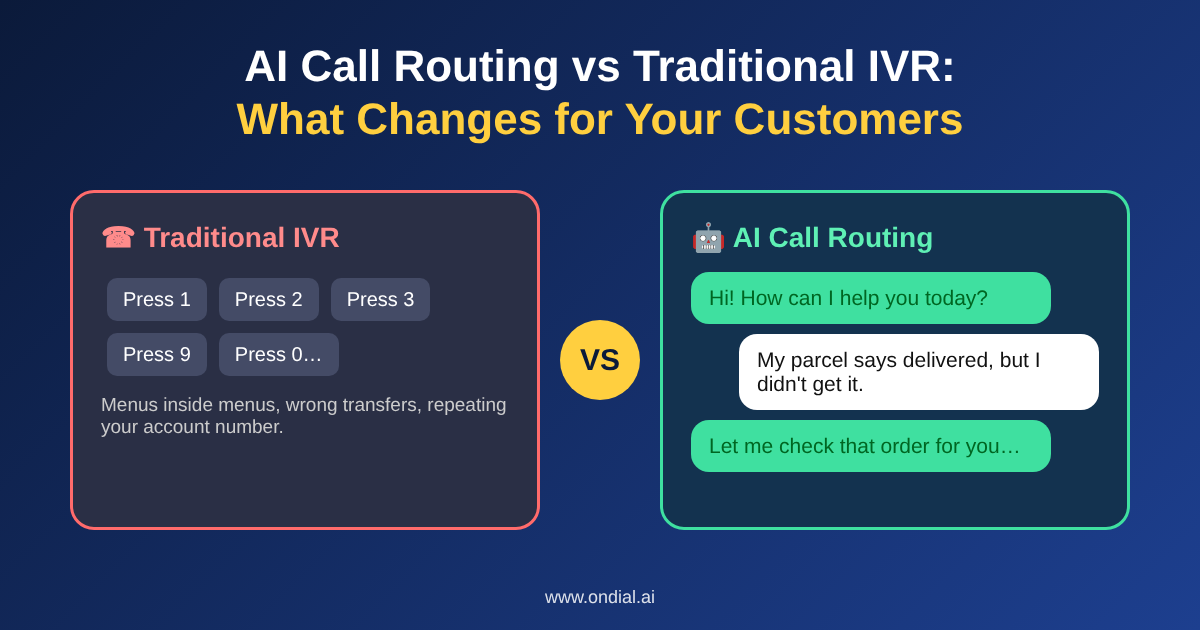
For decades, interactive voice response (IVR) menus have been the front door of business phone lines. They were built to sort callers efficiently, but customers often experience them as a maze: long lists of options, menus inside menus and no clear choice for their actual problem.
AI call routing replaces this maze with a conversation. But what actually changes for your customers when you move from IVR to AI? This guide compares the two side by side, from the first second of the call to the moment the issue is resolved, and explains how to make the switch smoothly.
How Traditional IVR Works
A traditional IVR plays recorded prompts and asks callers to press keys (DTMF) or, in some systems, say simple keywords. The call follows a fixed decision tree:
- “Press 1 for new orders”
- “Press 2 for existing orders”
- “Press 3 for billing”
- “Press 9 to repeat this menu”
Each choice leads to another menu or a queue. The system does not understand the caller’s problem; it only knows which buttons were pressed.
How AI Call Routing Works
An AI voice agent answers, asks an open question and understands the caller’s natural response. It detects intent, picks up details like order numbers, checks customer data and then either resolves the request or routes the call with full context. Read our explainer on AI voice agents vs IVR for more background.
What Changes for Customers: A Side-by-Side Journey
1. The First Few Seconds
IVR: the caller listens to a greeting, a recorded announcement and a list of options before they can act.
AI: the caller hears a short greeting and “How can I help?” and can explain their need right away.
2. Describing the Problem
IVR: the caller must translate their issue into the company’s categories. Many problems do not fit neatly, so callers guess or press 0.
AI: the caller describes the issue in their own words: “My delivery says delivered, but I didn’t get it.”
3. Getting to the Right Place
IVR: wrong guesses lead to transfers between departments.
AI: intent detection routes directly to the right team or resolves the request.
4. Repeating Information
IVR: customers often enter an account number, then repeat it to the agent.
AI: details captured by the AI are passed to the agent in a summary.
5. Self-Service
IVR: limited to simple, pre-recorded information such as balances or opening hours.
AI: can handle many requests conversationally, such as rescheduling, order status or FAQs, and ask follow-up questions.
6. Language
IVR: “Press 2 for Hindi” leads to a separate tree that is often less complete.
AI: a multilingual AI voice agent can understand and respond in the caller’s language, including mixed-language speech.
Comparison Table
| Aspect | Traditional IVR | AI Call Routing |
|---|---|---|
| Interaction | Keypad or fixed keywords | Natural conversation |
| Understanding | Button choices only | Intent, details and context |
| Misroutes | Common | Reduced through intent detection |
| Self-service | Basic | Broader and conversational |
| Personalisation | Limited | Uses CRM data |
| Language | Separate menus | Multilingual conversation |
| Changes | Re-recording and tree redesign | Update intents and prompts |
| Insights | Menu path data | Transcripts, intents, sentiment |
What Changes for Your Team
- Better-prepared calls: agents receive context and do not start from zero.
- Fewer simple calls: routine requests are handled by AI.
- Clearer insight: you learn exactly why customers call through call analytics.
- Faster updates: adding a new intent is easier than redesigning a menu tree.
When Is IVR Still Useful?
IVR is not obsolete everywhere. Simple keypad input can still work well for:
- Entering numeric data securely, such as PINs, in some regulated flows
- Very small businesses with only two or three call types
- Fallback when speech recognition struggles in extremely noisy environments
Many businesses keep a minimal keypad option as a backup while making conversation the primary experience.
How to Move From IVR to AI Call Routing
- Audit your IVR: list menu options, call volumes and where callers drop off or press 0.
- Map options to intents: turn each menu branch into one or more intents.
- Add missing intents: include the reasons customers call that your menu never covered.
- Pilot on one number or time window: compare metrics with the old IVR.
- Train agents on handoffs: show them how to use AI summaries.
- Roll out gradually: expand once misroute and satisfaction metrics improve.
For a detailed migration plan, see our guide on the ROI of replacing IVR with a conversational AI voice agent.
Conclusion
Moving from IVR menus to AI call routing changes the customer experience from “navigate our system” to “tell us what you need”. Customers reach the right place faster, repeat themselves less and often get answers without waiting. Your team handles better-prepared calls and gains real insight into customer needs.
Explore OnDial’s AI inbound calling or book a demo to hear the difference.
Frequently Asked Questions
Is AI call routing better than IVR?
For most customer-facing lines with varied call reasons, AI routing offers a smoother experience and fewer misroutes. IVR can still suit very simple or keypad-specific flows.
Do customers prefer talking to AI over pressing buttons?
Many customers prefer explaining their issue naturally rather than navigating menus, especially when the AI understands quickly and transfers smoothly.
Can I keep my IVR and add AI?
Yes. Some businesses start with AI on one branch or as the first greeting, keeping IVR as a fallback.
Is AI call routing expensive to set up?
Costs vary by platform and complexity. Compare setup and usage costs with the savings from fewer misroutes and more self-service.
How long does migration take?
Timelines depend on the number of intents and integrations. A focused pilot can launch relatively quickly, followed by gradual rollout.