
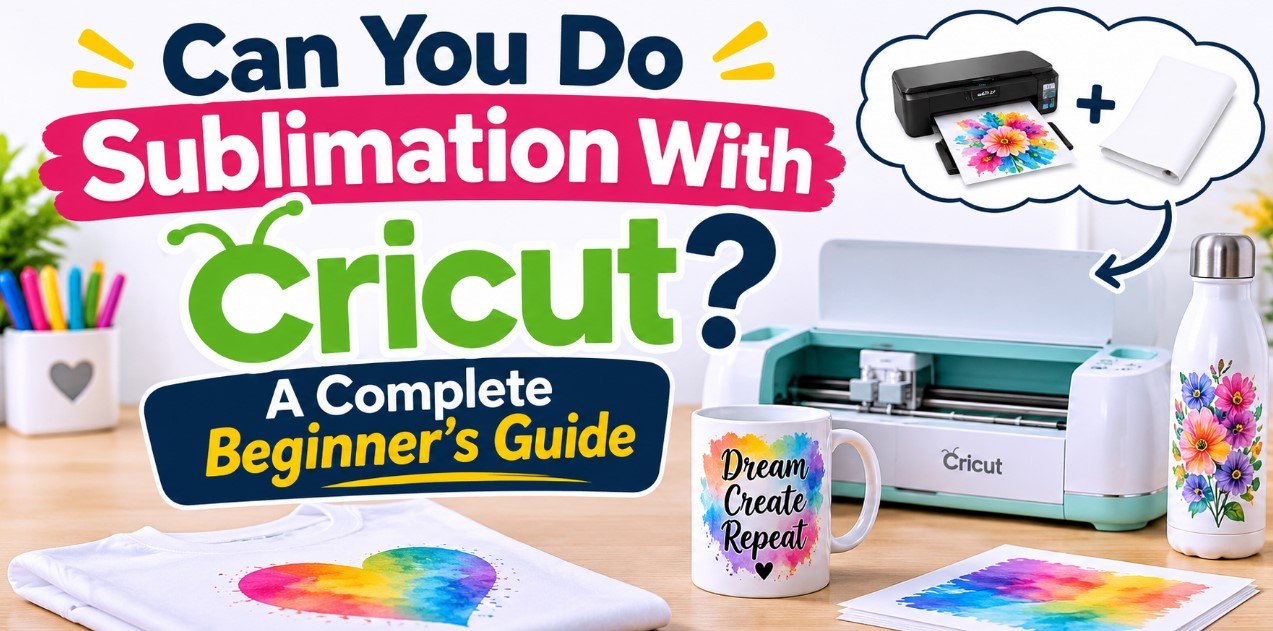
Sublimation is a popular crafting method that allows you to create personalized designs on T shirts, mugs, tote bags, cushions, and many other products. At the same time, cutting machines have made DIY projects easier for beginners and experienced crafters. This leads to a common question: Can you do sublimation with Cricut?
The answer is yes. You can combine a cutting machine with sublimation equipment to create customized products. However, it is important to understand that a standard cutting machine does not print sublimation designs. You will need additional equipment, including a compatible sublimation printer and a heat press, to complete the process.
In this guide, you will learn how sublimation works with cutting machines, which tools you need, how to complete your first project, and what mistakes to avoid.
Can You Use a Cricut Machine for Sublimation?
Yes, a Cricut cutting machine can be used as part of a sublimation project. However, it does not directly print designs using sublimation ink. Its primary purpose is cutting materials and preparing designs for different crafting applications.
For full color sublimation, you need a separate sublimation printer that uses specialized ink. You can create your artwork using design software, print it onto sublimation paper, and transfer it onto a compatible surface using heat and pressure.
A cutting machine can also help you create additional decorative elements, prepare stencils, or cut compatible materials for your project.
Understanding the difference between printing, cutting, and heat transferring will help you choose the right equipment and avoid unnecessary expenses.
Which Cutting Machines Can Be Used for Sublimation?
Several types of cutting machines can support sublimation related projects. Your choice depends on the size, complexity, and materials involved.
Maker Series Cutting Machines
These machines offer versatile cutting capabilities and can work with various materials. They are useful for preparing decorative elements, cutting shapes, and creating stencils for personalized products.
Although they cannot print sublimation ink, they can be used alongside a sublimation printer and heat press.
Explore Series Cutting Machines
Explore series machines are suitable for everyday crafting projects. You can use them to cut lettering, shapes, and decorative designs that complement sublimation transfers.
They are particularly helpful when creating personalized gifts, clothing designs, and small business products.
Compact Cutting Machines
Compact cutting machines are useful for smaller projects that require simple designs or lettering. Their limited cutting area makes them more suitable for small accessories and decorative applications than larger fabric designs.
Heat Transfer Presses
A heat transfer press is different from a cutting machine. It applies controlled heat and pressure to transfer sublimation ink onto compatible products.
Some handheld heat presses may work for certain projects, but a suitable press that provides consistent heat and pressure is generally preferable.
What Supplies Do You Need for Sublimation?
Before starting your project, gather the necessary equipment and materials. Using compatible supplies is essential for achieving clear designs and durable results.
Here are the basic supplies:
- Cutting machine: Used to prepare designs, cut shapes, and create decorative elements.
- Sublimation printer: Prints artwork using specialized sublimation ink.
- Sublimation ink: Transfers color onto suitable materials through heat.
- Sublimation paper: Holds the printed design before the transfer process.
- Heat press: Applies the heat and pressure required for sublimation.
- Sublimation blanks: Includes polyester fabrics and specially coated products.
- Heat resistant tape: Keeps the transfer paper in position during pressing.
- Design software: Helps create, edit, resize, and prepare artwork.
You do not necessarily need every tool for every project. Your equipment requirements will depend on the products you want to customize.
How to Do Sublimation With a Cricut: Step by Step
If you are new to sublimation, following a clear process can make your first project easier.
Step 1: Create Your Design
Start by opening your preferred design software. Create your artwork using text, shapes, graphics, or other decorative elements. Adjust the design dimensions according to your chosen blank. If your design includes text or directional elements, remember to mirror it before printing.
Step 2: Print the Sublimation Design
Print your artwork using a compatible sublimation printer, sublimation ink, and sublimation paper. Check the printer settings to ensure the dimensions and colors are appropriate for your project.
Step 3: Prepare the Blank
Choose a suitable product, such as a polyester T shirt or a specially coated mug. Remove dust, lint, and moisture from the surface. For fabric projects, polyester generally produces better sublimation results than cotton because sublimation ink bonds with polyester fibers.
Step 4: Position the Transfer
Place the printed transfer onto the blank according to the manufacturer’s instructions. Use heat resistant tape to prevent the paper from moving during pressing. Correct positioning is important because even slight movement can create blurred edges or unwanted marks.
Step 5: Apply Heat and Pressure
Use a suitable heat press and follow the recommended temperature, pressing time, and pressure for your specific material. Different blanks require different settings, so avoid using one temperature and timing combination for every project.
Step 6: Remove the Transfer Paper
Once pressing is complete, carefully remove the transfer paper according to the manufacturer’s instructions. Allow the finished product to cool before handling it. Your personalized sublimation project is ready!
What Can You Make With Sublimation and a Cutting Machine?
Combining these crafting methods gives you several options for creating customized products.
Popular project ideas include:
- Personalized polyester T shirts and sweatshirts.
- Custom tote bags and fabric accessories.
- Coated mugs and tumblers.
- Personalized mouse pads.
- Decorative cushions and home accessories.
- Customized birthday and wedding gifts.
You can also create products for seasonal events, family celebrations, and small business orders.
Always check whether the blank is specifically designed for sublimation before starting your project.
Common Sublimation Mistakes to Avoid
Beginners often experience faded colors, uneven transfers, or blurry designs. Fortunately, proper preparation can prevent many of these problems.
Using unsuitable materials: Regular cotton fabric and untreated surfaces generally do not produce successful sublimation results. Choose polyester or specially coated blanks.
Incorrect heat settings: Excessive or insufficient heat can affect the final appearance. Follow the recommended settings for each material.
Moving transfer paper: Movement during pressing can cause ghosting. Secure your transfer with heat resistant tape.
Ignoring design preparation: Incorrect sizing or forgetting to mirror a design can lead to disappointing results.
Skipping test projects: Test your settings on an inexpensive blank before working with costly materials.
Frequently Asked Questions
Can You Sublimate Directly With a Cricut Machine?
No. A standard Cricut cutting machine does not print sublimation ink. You need a compatible sublimation printer to print your artwork and a heat press to transfer it onto a suitable blank.
Do You Need a Sublimation Printer to Use a Cutting Machine for Sublimation?
Yes, if you want to print your own full color sublimation designs. You can also purchase ready made sublimation transfers instead of printing them yourself. A compatible heat press is still necessary to complete the transfer.
Can You Sublimate on Cotton Shirts?
Traditional sublimation works best on polyester fabrics. Pure cotton does not retain standard sublimation ink effectively. If you want to decorate cotton, consider a suitable sublimation coating or a different heat transfer method designed for cotton.
Is Sublimation Suitable for Beginners?
Yes. Beginners can start with simple projects such as polyester shirts, tote bags, and compatible blanks. Learning how to prepare designs, select suitable materials, and control heat settings will help improve the results over time.
Final Thoughts
So, can you do sublimation with a Cricut? Yes, you can use a cutting machine as part of a sublimation setup, but it cannot perform the entire printing and transfer process on its own.
You will need a compatible sublimation printer or ready made transfers, suitable blanks, and a reliable heat press. By understanding the purpose of each tool and following the correct preparation steps, you can create personalized clothing, accessories, gifts, and home décor products.
Whether you are starting a DIY hobby or planning to sell customized products, combining cutting and sublimation techniques can provide a practical way to turn your creative designs into finished items.